How good is Claude, really?
Stress testing Claude Code on complex tasks from the macOS app dev world.
March 4, 2026
At the beginning of 2026, I didn’t even know what vibe coding meant.
So much has happened in the time I was busy carving wooden spoons, that I felt it simpler to just ignore the hype.
It will pass, just like the NFTs and the dApps and microservices, I don’t need to care about it. Or that’s how I thought.

One morning, in this seemingly never ending winter, a friend told me excitedly how his employer got them Claude subscriptions and encouraged them to try it for work. And his reaction was something along the lines: “it’s crazy! I love it! we’re doomed…”
I felt that was an overreaction, I tried LLMs for coding before and aside from small snippets, it couldn’t do more than 50 lines without stumbling on itself.
But it was a really gray hazy winter morning, and I didn’t feel like splitting wood in the quiet of the house, so I made some coffee and got my laptop out.
# Stages
I gave it the usual task that I really want to see done but I’m always dreading to start: Stages in rcmd
rcmd is a macOS app switcher that allows you to hold
Right Command, and press the first letter of the app name. So pressVfor VSCode,Gfor Ghostty,Cfor Chrome: instant app switching without cycling through app icons.Stages was dreamed up as a way to switch workspaces with the same paradigm. So press
Cfor Coding where VSCode and Ghostty would focus and everything else was hidden,Dfor Design and so on.But the functionality is way harder than it seems, the app needs to record the on-screen windows, and be able to restore them when the computer is restarted.
The task was complex, just to outline some things Claude needed to do:
- understand the pre-existing app codebase with all its UI quirks
- refactor the UI to be able to present sets of apps and windows
- find ways to record custom window data like:
- the project opened in VSCode
- the working directory in Ghostty
- the current URL in Chrome
- files/folders/projects opened in other apps like Finder, Pixelmator, Sketch, Xcode etc.
- find ways to re-open windows at that specific project/file/folder
- figure out a way to hide individual windows on macOS
It’s weird, but there’s no instant hide/show for windows on macOS. You can minimize them, but that has slow animations and unwanted side effects.
I mentioned to Claude that I knew a window manager called Aerospace which had a workaround for this.
I gave Claude a 200 line stages.md, let it loose on the rcmd code, and stared at it crunching stuff for a few minutes. I went to make another coffee, and when I came back it was… done?
I hit Build in Xcode and was prepared to see a barrage of errors, that’s how it always was. I got ready to screenshot the errors and the stupid code diff and show my friend how “no, we’re not doomed, it just got lucky on that specific task”.
No errors though, the app compiled and launched like nothing happened. Uhh.. now what? The code diff was immense, I guess I should just see if anything actually works anymore.
I hid every app except VSCode and Ghostty, pressed rcmd + lalt - C and it said Stage C was assigned. No way this works… I brought back all apps on screen, quit VSCode, pressed rcmd - C and instantly VSCode and Ghostty were the only apps visible and focused, in the correct folder and project.
I looked through its thinking process and it even did a web search for Aerospace macOS window manager, found its Github, reverse engineered its workings until it found the window hiding workaround I mentioned in passing and implemented it from scratch in rcmd.
Astonished is a small word for what I felt.
Of course, this was not a feature ready for release. There was so much code review and so much polishing work to do (not all apps have ways to restore their state after quitting, some focus flickering happened, and Stage creation should be more intuitive).
But the fact that an LLM could do such complex work, changed everything.
# Picture-in-picture
🔗 Pipiri is a macOS app that can show any window in a floating picture-in-picture window
I had this barebones app I did as a standalone Swift file, for creating a Picture-in-Picture view of a window where there’s data I’d like to keep an eye on.
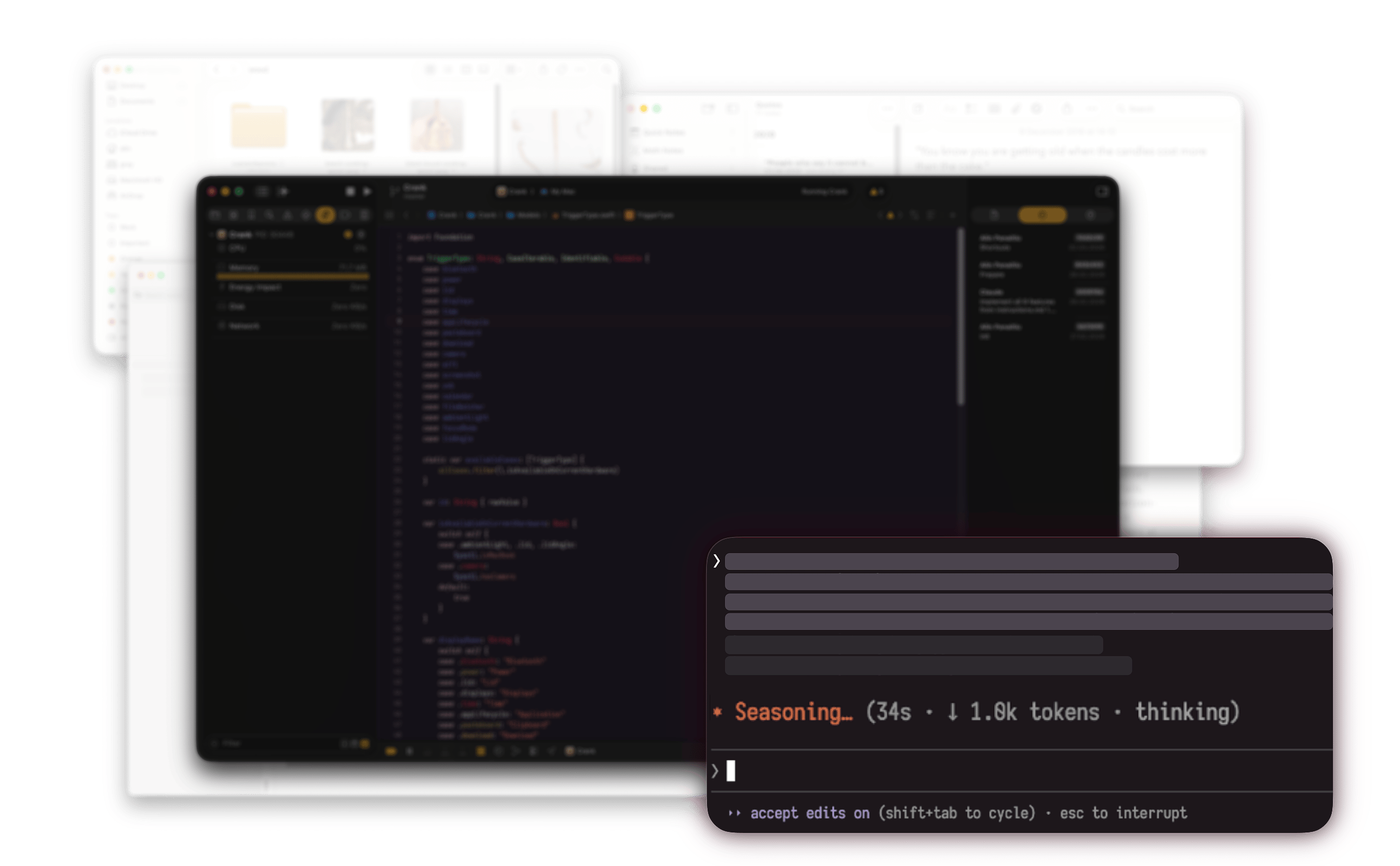
I mostly used it to watch long-running terminal commands while I continued coding, and for keeping Xcode logs visible while I tested parts of my app.
I thought it was too niche to release, so I didn’t have the motivation to do the work on creating an UI, licensing, webpage, icon etc.
I saw this as an opportunity to see if Claude can do it. After all, I still felt this to be a useful idea after years of using it.
I created a blank Xcode macOS app project and gave Claude minimal instructions:
- adapt
pip.swiftto a menubar app with a SwiftUI architecture - add a Settings window where I can adjust the trigger hotkey, the position of the PiP panel etc.
- implement auto-updates with Sparkle
- add license verification through Gumroad
- link to a Contact form and a privacy policy, similar to how I do it in my other apps
What can I say? It did everything. Granted, the main PiP functionality had already been written manually by me years ago, this was just doing the things that every macOS dev hates to do but has to repeat on every app.
Then onto the webpage. Manually wrote a list of features with explanations in a README.md because I prefer to address future users of my apps personally, then told it to build the landing page by taking inspiration from my other app pages, using what I wrote in the README.
I was more than relieved to see 95% of the webpage look exactly as I would have done it myself. Not a single word changed, only HTML structure, colors, image paths etc. Adapting old webpage structure for a new app was not something I enjoyed doing.
I also got a little carried away and asked Claude to implement a VM bytecode interpreter and write the offline license validation in that bytecode. I didn’t expect it to actually do it! It even added a license generator CLI on top.
I launched a v1.0 and it was received well enough. Got 2 feature requests from the first day:
- Multi-window mode (allow keeping multiple PiP panels visible from different)
- Idle/Change detection (get notified when the window contents haven’t changed in a while, or if they did change after being still for a while)
These are features I would have liked myself, but was too busy to start working on them before.
Now, Claude was not able to do these properly by simply mentioning the features. I had to explain the features in detail, how I want the multi-window PiPs to appear on top of each other, what APIs it should use, describe how the idle notification should look and that it’s not a system notification.
In the end, the code needed a lot of review, testing and manual fixing, but just getting me started on the features was enough to motivate me to finish and release them.
Getting a semi-functional feature in readable code that I can polish is much more motivating than getting a huge refactor and full implementation that doesn’t even compile.
After releasing the change detection feature, I got a nice message from someone working at a hospital telling me how they use it to know when a patient has been added to the admission list without having to check it very second.
This is always humbling to me when it happens, reminds me how naive and limited we are as devs thinking that we considered all use cases. When in fact we should probably just build the tools, and people will find use for them in their own way.
# Event-based automation
🔗 Crank is a macOS app that can run scripts and Shortcuts on event triggers
My little brother was telling me about how he’s trying to find ways to make money without having to work long hours in coffeeshops and restaurants.
These AI tools are an opportunity for people like him, who know what they’d like to be doing, but can’t because they have to sell their time for a meager salary.
He has already started a few ideas like websites for small local shops that want an online presence, copywriting, product photo shoots.
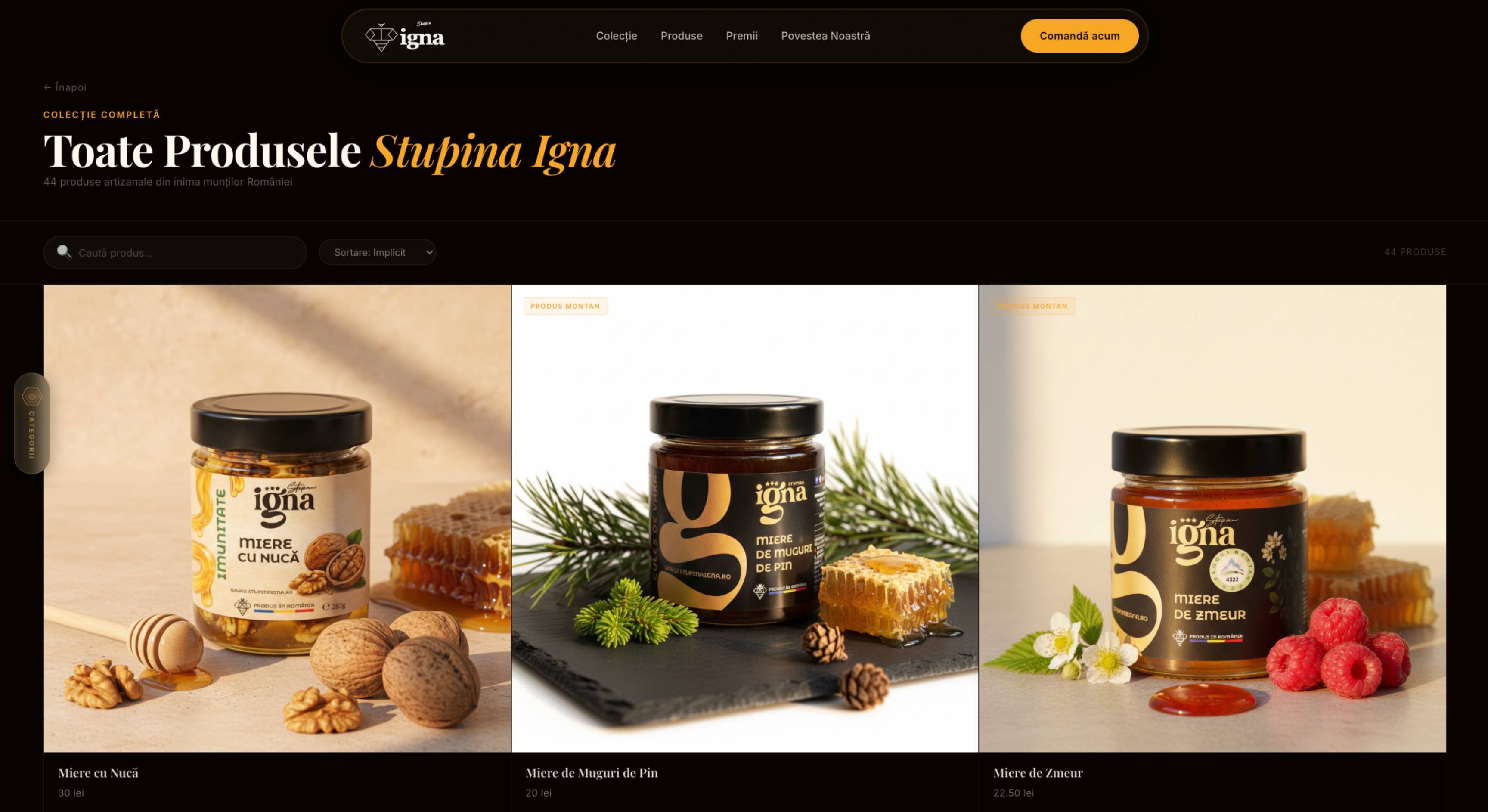
So I thought why not also throw in a simple macOS app. I can bring in the ideas that I’ve been sitting on for the past 5 years, help with code review and fixing, and he can just prompt Claude and test the app until it’s working as expected.
The main theme was simple, low maintenance apps only.
I had this idea for an event-based automation app: just the basic parts of what has already been done in Keyboard Maestro or Shortery, at a much cheaper price and free for basic needs.
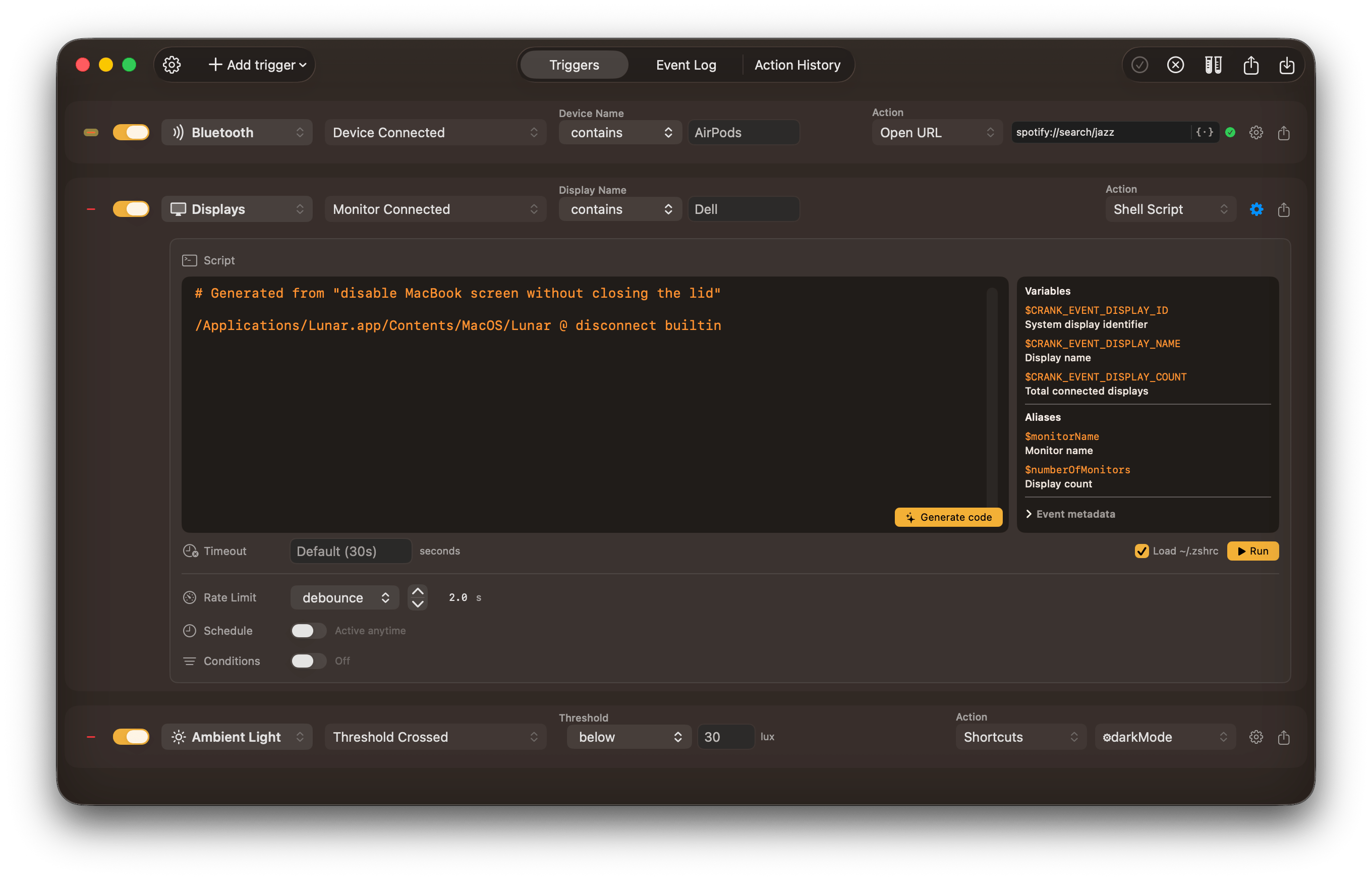
In support emails and chats, I’ve had a lot of people ask for some very niche functionality in my other apps. Usually, it’s some kind of automation, things like:
- “can I disable the MacBook screen only when I connect my Dell monitor at home?”
- “how can I make all screens black when I want to audition a piece in my recording studio?”
- “can optimised images in
~/Blogbe renamed toYYYY-MM-dd-nameand converted towebp?” - “please add an option to toggle HDR when I open IINA or any other movie app”
So I wanted to give those people the ability to resolve their frustrations without having to wait for a dev to do it.
I hopped on a screen sharing session with my brother and let him ask Claude to build this app bit by bit. The first thing that jumped out is: you have to know the terminology to get quality results.
He’s not a dev, he doesn’t know what a debounce or throttle is, so incidentally, he doesn’t know to ask Claude to implement it for events that arrive in bursts. He has no idea what a private API is so he can’t guide Claude to use one where we need to access low-level system APIs. And obviously concepts like dry run or event log are not familiar, but definitely useful in an app like this.
Interestingly though, he was able to get Gemini to write a prompt for Claude that included a lot of these features that you’d find in an automation app. I wouldn’t have thought of that.
But dev intervention was still necessary. Some added features were just dangling in the UI without any effect internally, and it was impossible for a non-dev to know what they were for.
We started that way, then he continued on his own while I worked on my own apps. Even without my assistance, the result was still a very functional app that could run scripts or launch apps automatically on event triggers.
And the thing is, people could have used this as is, it was useful enough to be released. But I knew it wouldn’t be received well, people expect a certain polish for apps that have paid tiers.
# The dev touch
To be really useful, the app needed some triggers that Claude did not know to implement on its own because such code uses obscure private APIs and IOKit data. Things like:
- ambient light data through the MacBook’s integrated sensor (ALS.swift)
- if camera is turned on or off (IsCameraOn.swift)
- Focus mode or Do Not Disturb changes
Thankfully I had already implemented those in mac-utils, but adapting them to Crank’s event trigger architecture would be quite the work. By now, I learned that this is where Claude shines: once it has working code to reference, it does a really good job at adapting that code to another project’s structure.
After I pointed Claude to the files and told it to create triggers out of them, I needed less than half an hour of testing and fixing logic bugs on my part to get everything in good order. It can write quite readable code when it wants.
I remembered seeing this crazy app that told you the MacBook lid angle, so I thought what the heck, someone might find a use for that. I told Claude to implement a lid angle trigger as well based on that code. I’m thinking one might want to disconnect stubborn Bluetooth peripherals when the lid is closing, and you only have a chance to do that before the lid was fully closed.
Open source becomes incredibly more useful with an LLM to understand the code in seconds instead of days. It also feels like stealing, not gonna lie. If I did the research myself, it wouldn’t have felt like that, and I can’t figure out why.
# Cherri
Some actions simply can’t be done through scripts. One example of that is enabling Do Not Disturb (or changing the Focus Mode). There’s no CLI that can do it because the system does not expose those APIs.
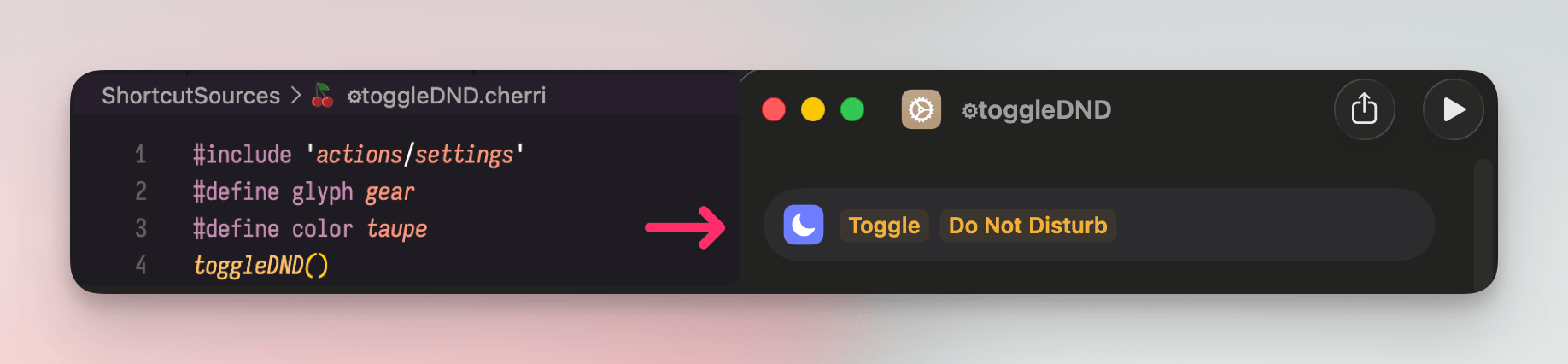
But it can easily be done through Shortcuts, which has a Turn Do Not Disturb On/Off action built-in. But (big but…) a named Shortcut containing that action needs to already be created by the user, we can’t call individual actions. And I can’t have Crank ask the user to create Shortcuts and drag actions around for such basic things.
Shortcuts can be pre-created as file.shortcut, and installed by simply opening them, so I could provide those Shortcuts bundled with the app. But doing a rough calculation, I would have to create about 100 individual Shortcuts by hand, using mind numbingly slow drag and drop.
Programmer laziness got the best of me and I went looking for a quicker way. Somehow I stumbled on this gem: Cherri - a programming language that compiles directly to a signed Shortcut
I tried to get Claude to write a few basic Shortcuts with Cherri, but it clearly didn’t know the syntax. So I told Claude to just learn it from the website, and gave it the whole list of actions I need.
In less than 10 minutes it:
- learned the Cherri programing language syntax
- learned to use the
cherricompiler - got action definitions with
cherri --action - wrote and compiled 98 individual Shortcuts, fully functional with inputs and outputs
damn
# The scripts problem
The problem with creating an automation app, is that you usually have to spend most of your time building a huge library of built-in actions. I didn’t want to go that route.
That’s why Crank’s actions seem pretty limited:
- Shell script
- AppleScript
- Shortcuts
- Launch App
- Open URL
- Open File
- Notification
But in my opinion, this set of actions allows you to do most common things on a Mac, if you know what to use. However, not all users of this app will know what a script is, or how to write one, so I thought I should lower the barrier of entry as much as I can.
If LLMs can write such good code, why not have them write the automation scripts for us? (well, because they could delete all our files with a misplaced semicolon, that’s why…) But non-devs would try an LLM anyway, so I thought I could at least make their life easier and add some safety guards.
In this test, I wanted to see if an LLM understands how to make another less capable LLM get good results.
So I told Claude to create a context.md describing common CLI utilities that would help in automating a Mac, and express that as a prompt for Gemini.
I added a Generate Code button in the script editor and tried to make the free Gemini tier write short useful scripts, instead of hundred-lines hallucinations on CLIs that don’t exist.
It’s not perfect, but when it works, it feels magical.
Turns out, LLMs know how to talk to other LLMs. The generated context.md tells Gemini things like:
You are a macOS shell automation expert.
…
Output ONLY the script code — no markdown fences, no preamble, no explanation
Claude even went as far as to customize the context based on the Mac it runs on:
Assume the script will run on \(ARCH) Macs with macOS \(MACOS_VERSION)
Use the event variables set by Crank if relevant to the task
Tool Availability on this System:
… basic stuff like ffmpeg, jpegoptim etc. …
It’s not complex code or writing, but not very creative either. And I like that I can delegate the boring parts to a smart text generator so I can focus on the harder reverse engineering and making Macs do things they weren’t supposed to do.
At least until it learns to work with Frida and a disassembler and I’m fully replaced.
# Consequences
I started this exploration as an AI skeptic, or better said, ignorant. But things are progressing faster than I can adapt to them. So while I’m no longer a skeptic, I’ll probably stay ignorant in the long term.
I see Claude Code as a valuable tool for experienced devs, just like I saw syntax highlighting, autocomplete, IDEs and other dev tools when they appeared. It enables me to spend less time in front of a screen without neglecting the people using my app, which is my end goal.
But it is frightening to think; what would my mind go through if I was a junior dev in college and seeing a $20/month algorithm do what I’d need to learn in years?
And now I’m thinking “I’m fine, Claude is smart but it’s still far from being able to do all the complex work I do for creating a truly useful app”. But far is relative, and such a different measure in the world of AI.
I’m probably in denial, I remember laughing at LLMs hallucinating non-existent Swift syntax less than 3 months ago.
To calm some of the people using my apps who might also read this: I’m not becoming a vibe coder and giving Claude free reign on Lunar and Clop.
At least at the moment, the codebases of those apps are still too messy and complex for an LLM, I don’t want even the remote possibility of introducing a critical bug. rcmd still has a small codebase and doesn’t work with hardware and sensitive files, so it’s safer to try it there, but every line is still reviewed and validated by hand.
I’ll probably try to get Claude to help me on things I started but never had the time to finish, like:
- building a custom filesystem index and fuzzy search algorithm for Cling
- adding natural-language calendar event scheduling in Grila
- fixing long-standing bugs in StartupFolder and IsThereNet
But it will probably function more as a talking rubber duck, than as an employee I can trust to do my work for me.